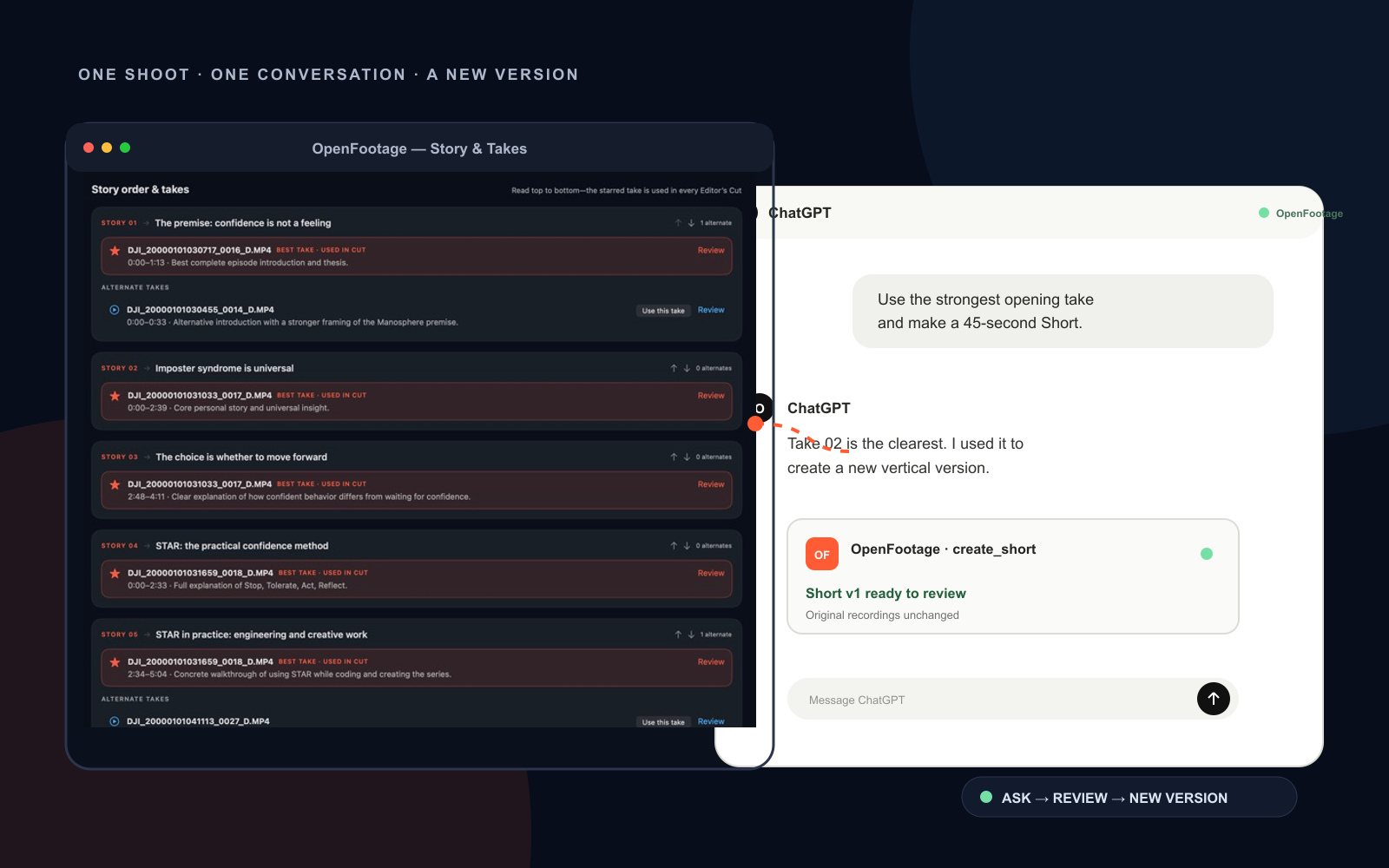
OpenFootage groups your recordings by take, finds the strongest version and stitches the story together. Then ask ChatGPT for an edit or a Short—no complicated timeline required.
Real OpenFootage detailIllustrative ChatGPT workflow
01 Raw recordings
→
02 Takes grouped
→
03 Best take found
→
04 Clean Short
One shoot, walked through
See what OpenFootage does at every step.
Each image isolates one useful decision instead of making you decode an entire editing app. The dark product details come from the installed macOS beta.
01Story & Takes
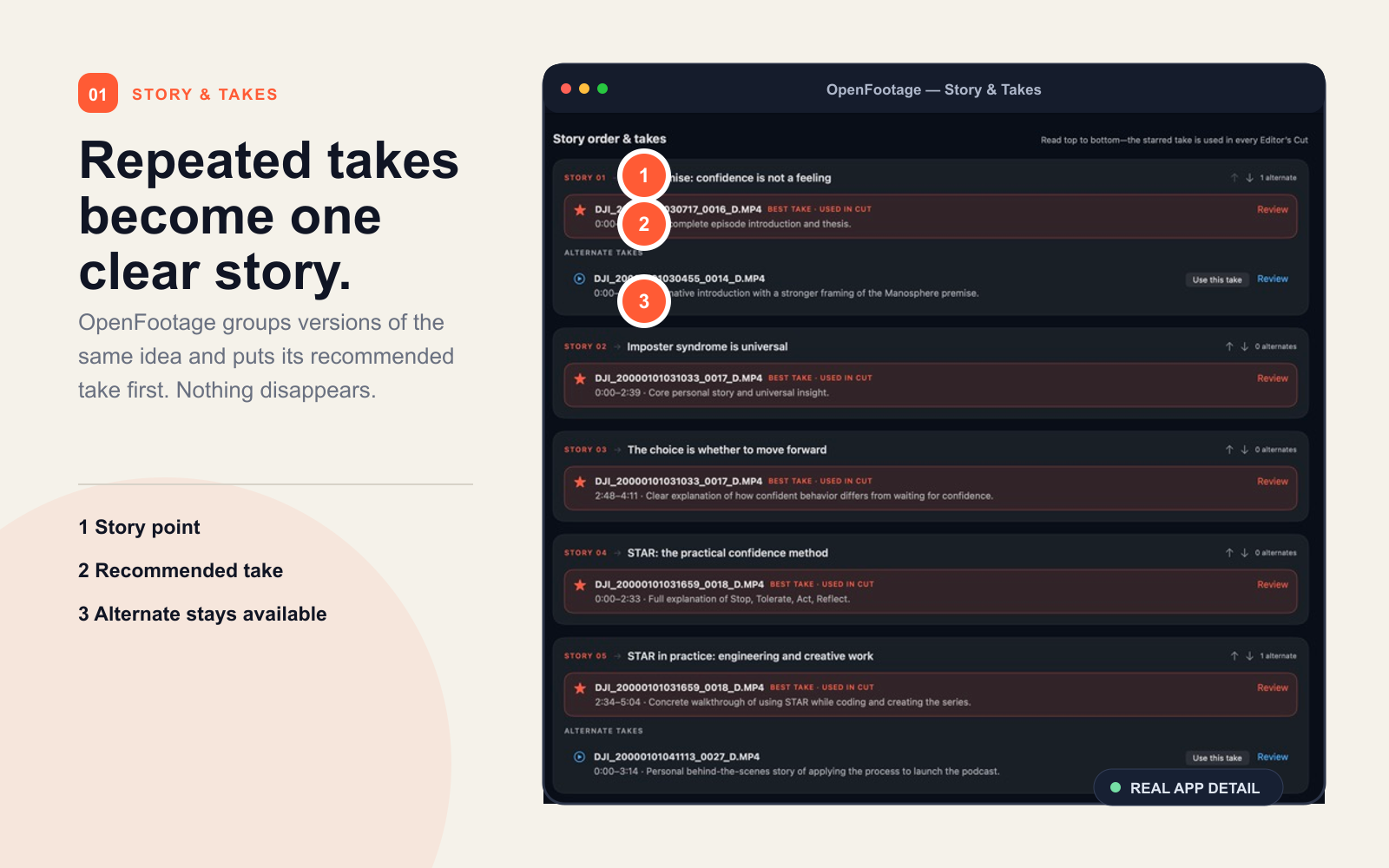
It knows which clips belong together.
OpenFootage transcribes the recordings, groups repeated versions of the same idea and recommends the clearest take. The alternates remain visible, so you always know what it chose.
✓Groups repeated takes under one story point
✓Puts the strongest take first
✓Keeps every alternate ready for review
02ChatGPT + OpenFootage
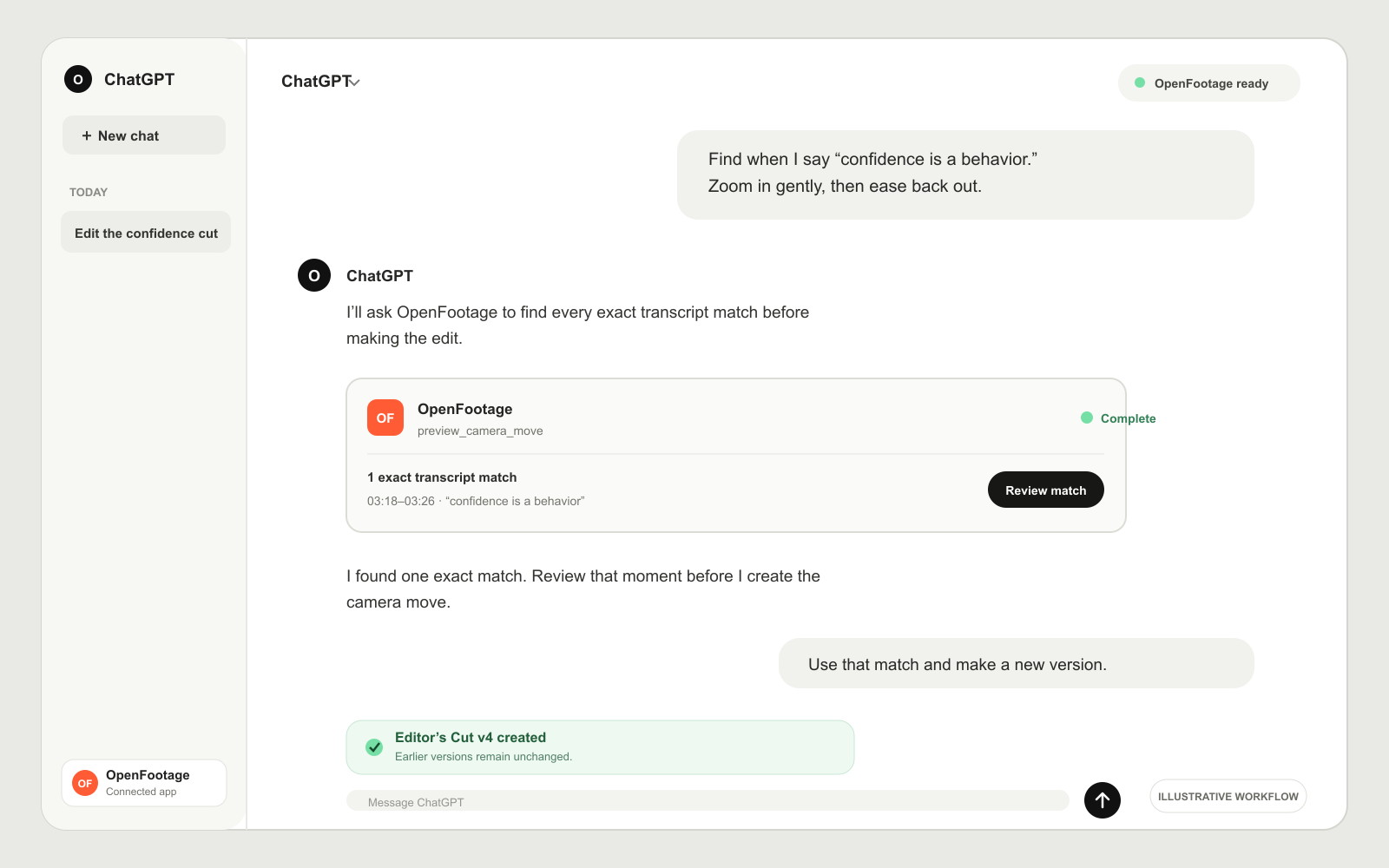
Tell ChatGPT what you want changed.
Ask in plain language. OpenFootage’s MCP tools find the exact moment first, let you review it, then create a new Editor’s Cut. No timeline wrestling and no silent overwrite.
✓Your instruction stays conversational
✓Exact transcript matches are shown before editing
✓Every approved edit creates a new version
Illustrative ChatGPT conversation using OpenFootage’s real editing behavior.
03Clean Shorts
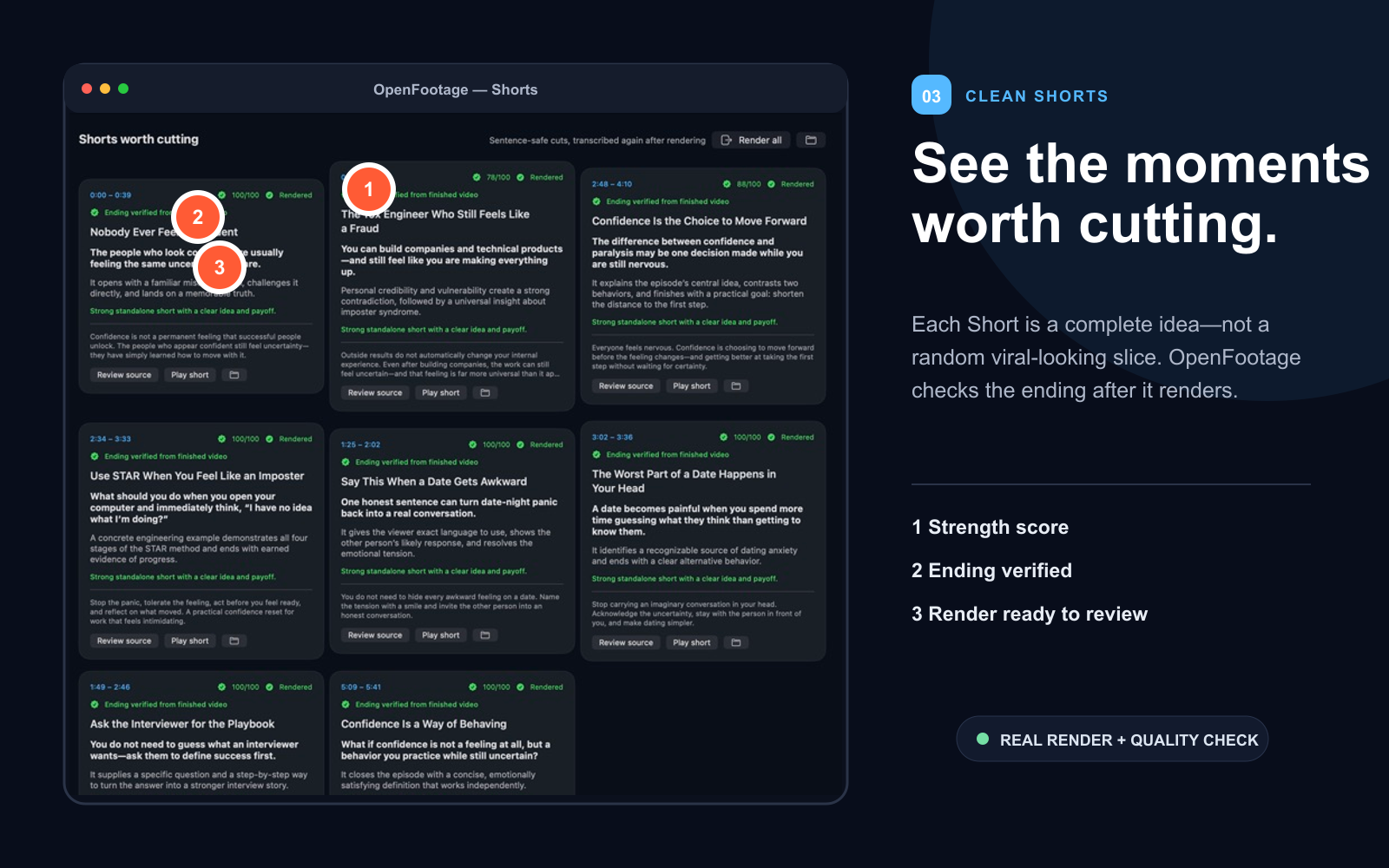
Get complete ideas, not random snippets.
OpenFootage finds the moments that can stand alone, turns them vertical, adds captions and checks the finished ending. Each rendered Short is ready to play and review.
✓Strength-scored moments
✓Captions and simple transitions
✓Finished-video ending verification
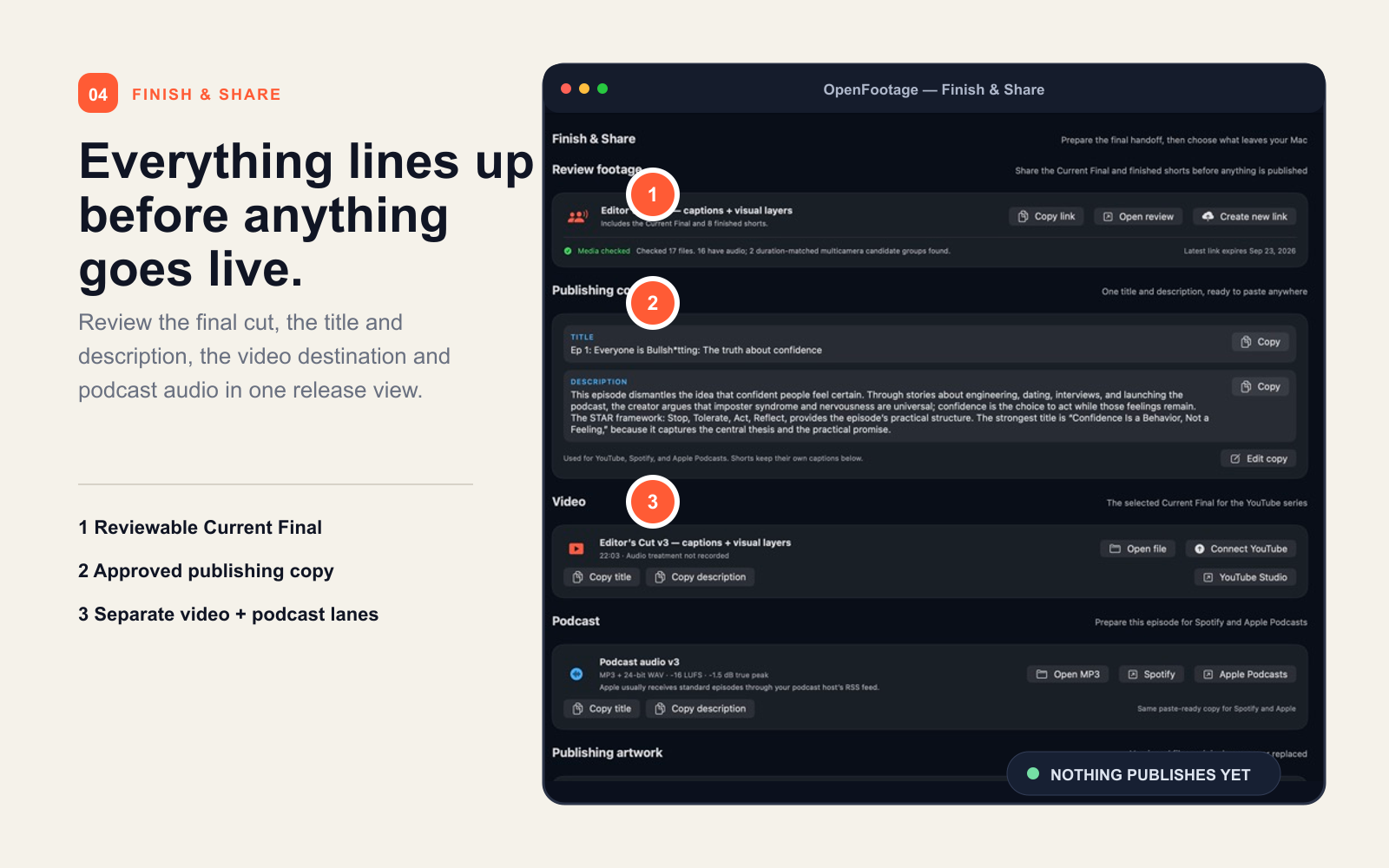
04Finish & Share
See the whole release before it leaves your Mac.
The final cut, title, description, podcast audio and destinations line up in one place. You review the exact release package before anything is uploaded or scheduled.
✓A reviewable Current Final
✓Approved copy beside the media
✓Separate video and podcast lanes
The editing interface is a sentence
“Use the strongest take. Make it a Short.”
ChatGPT understands the request.
OpenFootage makes a reviewable version.
You decide what ships.
Local-first by design
Your footage stays on your Mac.
OpenFootage keeps your original recordings and project history local. Every edit creates a reviewable new version, so an earlier cut is never silently replaced.